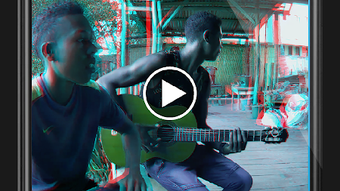

Download 3D Clip – 3D video editing, 3D clip, 3D video tool, 3D video app, 3D video maker
Overview
3D Clip is a free Android application developed by Weeview, designed specifically for editing 3D videos. The software aims to simplify the process of video editing for users who work with stereoscopic content, offering essential tools to trim, enhance, and share 3D clips with ease. It targets content creators, hobbyists, and mobile videographers interested in manipulating 3D video material without requiring professional-grade software. The app’s primary function is to enable users to edit 3D video clips directly from their smartphones, with features such as trimming, speed adjustment, text overlay, and audio integration.
Real-world usage scenarios include preparing 3D content for social media platforms, enhancing personal 3D recordings from compatible cameras, or refining short 3D clips for sharing with friends and family. The app’s interface is structured around a central screen that displays editing options and clip details, promoting intuitive navigation. While the developer has not provided extensive background on Weeview, the app’s focus on 3D video editing suggests a niche specialization. Updates are regularly released, indicating ongoing development and user feedback integration.
Key Features & Capabilities
- 3D Video Trimming – Users can cut and trim 3D video clips to extract specific segments, ideal for creating short highlights or focused content.
- Audio Integration – Music can be added from the device’s local storage, allowing users to sync soundtracks with their 3D videos for enhanced storytelling.
- Speed Adjustment – The ability to change playback speed enables creative effects such as slow motion or fast-forward sequences.
- Text Overlay Support – Users can add captions or titles in multiple languages, including English, supporting global accessibility.
- Visual Effects – Tools for adjusting brightness, saturation, and contrast allow basic color correction to improve visual quality.
- 3D Effect Customization – The app offers options to modify the depth and intensity of the 3D effect, tailoring the viewing experience.
- High-Quality Export – Videos can be exported in high resolution, preserving the clarity and depth of the original 3D content.
- Direct Sharing – Edited clips can be shared directly to social media platforms or saved to the device’s storage for offline access.
These features support a streamlined workflow for users who want to edit 3D videos without complex software. The combination of trimming, audio addition, and visual tuning makes 3D Clip suitable for quick, mobile-first edits. The inclusion of multilingual text support enhances usability across diverse user bases.
User Interface, Workflow & Performance
The user interface of 3D Clip is designed with a central dashboard that displays key editing tools and clip information, promoting a clean and focused experience. Navigation appears to be linear and intuitive, guiding users through the editing process step by step. The layout prioritizes accessibility, making essential functions readily available without overwhelming the user with options.
Workflow efficiency is supported by a logical sequence: load clip → apply edits → preview → export or share. This structure reduces friction for users who may not have prior editing experience. The app’s performance on Android devices is not specified by the developer, but general behavior suggests smooth operation on mid-to-high-end smartphones. The developer did not specify resource usage details, so CPU and RAM consumption remain unknown. Stability is expected to be consistent with typical mobile apps, though no formal testing data was provided.
Compatibility & System Requirements
3D Clip is available for Android devices, with the current version being 1.2.1. The installation size is reported as 28.4 MB, indicating a lightweight footprint suitable for most smartphones. The developer did not provide detailed system requirements, such as minimum RAM, processor specifications, or Android version compatibility. Compatibility information was partially provided, leaving users without clear guidance on which devices are supported.
Users should ensure their device runs a recent version of Android to avoid potential issues. The app is distributed exclusively through Google Play, which ensures a secure distribution channel. No information was provided regarding support for tablets or other form factors. For users seeking broader compatibility, the lack of details may require trial and error to confirm functionality on specific devices.
Pros and Cons
Pros
- Free to download and use with basic editing features
- Specifically designed for 3D video editing on mobile devices
- Intuitive interface with a central dashboard for easy navigation
- Supports multilingual text overlays for global accessibility
- Offers 3D effect customization and visual enhancement tools
- High-quality export and direct sharing to social media
Cons
- Advanced features require in-app purchases, limiting full functionality
- No detailed system requirements provided by the developer
- Performance and resource usage data were not specified
- Only available on Android, limiting cross-platform access
- App availability is restricted to Google Play, excluding alternative stores
FAQ Section
Is 3D Clip compatible with all Android devices?
Compatibility information was partially provided. While the app is designed for Android, the developer did not specify minimum OS version or hardware requirements. Users are advised to check availability on Google Play for their device.
Is 3D Clip safe to download?
Yes, the app is distributed through Google Play, which enforces security checks. No malicious behavior has been reported, and the app is free from known threats as of the release date.
Are updates available for 3D Clip?
Yes, the developer confirms regular updates to improve the user experience and add new features. Users should keep the app updated via Google Play for optimal performance.
Does 3D Clip require an internet connection?
The app can function offline for editing tasks such as trimming, adding music, and exporting. However, online features like sharing to social media may require an active internet connection.
Can I use 3D Clip without in-app purchases?
Yes, the app is free to download and includes basic editing tools. However, advanced features are locked behind in-app purchases, which may affect the full editing experience.
Final Thoughts
3D Clip presents a focused and accessible solution for mobile users seeking to edit 3D videos on Android. Its specialized design for stereoscopic content, combined with essential tools like trimming, text overlay, and 3D effect adjustment, makes it a valuable tool for hobbyists and content creators. While the absence of detailed system requirements and performance data limits deeper evaluation, the app’s clean interface and direct sharing capabilities enhance usability.
The inclusion of multilingual support and high-quality export options further strengthens its appeal. For users working with 3D video content on mobile, 3D Clip offers a practical, lightweight alternative to desktop-based software. The free base version with optional in-app upgrades provides a balanced approach to accessibility and monetization.
Download 3D Clip now





.png)

